The listening room 01 / A system that grows
Which WiiM Speakers Should You Pair with Amp Ultra?
Wireless surrounds, a center channel and multi-room music.
Keep the passive speakers you love. Add Sound Lite for wireless surrounds, or Sound where a screen earns its place.
Find your setupFor an existing Amp Ultra + passive front-speaker system.
Before you add anything
A wireless extension.
A different kind of connection.
For an existing Amp Ultra system with suitable passive front left/right speakers, two WiiM Sound Lite units are our practical starting point for wireless surrounds. Add one Sound or Sound Lite for a center channel if needed. These are powered network speakers, not passive speakers to wire to Amp Ultra’s terminals.
If you are building a music system from scratch with only Sound or Sound Lite, a powered stereo pair can work on its own. Buy Amp Ultra when you need its passive-speaker amplification or its role in the TV system described here.
See exactly what each layout needs01 / Pick the role
Two speakers.
Two ways to live with them.
Our surround pick is Lite. Choose Sound when its display will be in view and in use.
Our pick for wireless surrounds
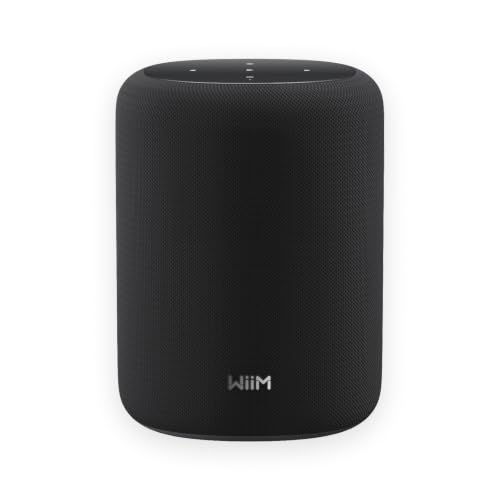
WiiM Sound Lite
The screen-free choice for positions you mostly control from the sofa or app. Choose two units for surround left and right, or one for a center channel or another room.
- Speaker type
- Powered wireless speaker
- Display
- No front touchscreen
- With Amp Ultra
- Networked center, surrounds or multi-room
- Listing quantity
- One black speaker
Plan for this: Each unit needs mains power and a network connection; the selected listing is one speaker.
Check Sound Lite on Amazon Check current price and the exact single-speaker bundle.Choose it for the screen
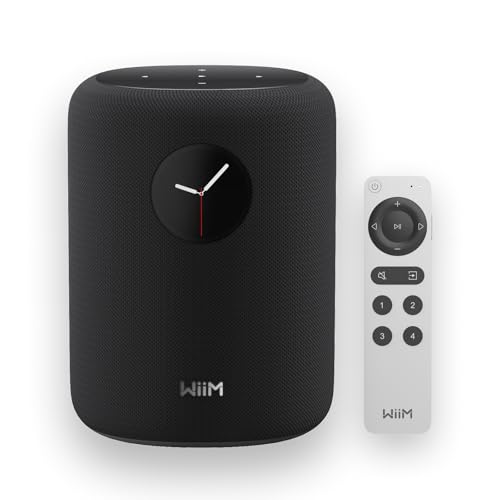
WiiM Sound
Choose Sound when seeing playback information and controlling music on the speaker will be part of daily use. Its touchscreen is the clear reason to choose it over Lite for this guide.
- Speaker type
- Powered wireless speaker
- Display
- 1.8-inch front touchscreen
- With Amp Ultra
- Networked center, surrounds or multi-room
- Listing quantity
- One black speaker; confirm bundle
Plan for this: The display is less useful behind a sofa; it does not add more theater channels than Sound Lite.
Check Sound on Amazon Check current price and the exact single-speaker bundle.The screen is a convenience choice. We are choosing by placement and controls, not claiming one model sounds better. For two rear positions you seldom touch, Lite’s screen-free design is a practical fit.
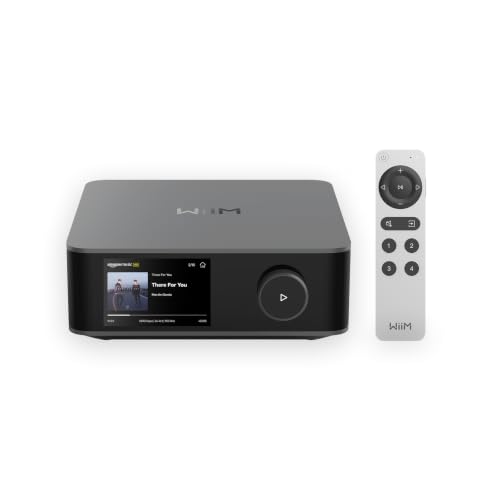
The anchor of this setup
Let Amp Ultra
keep the front row.
Amp Ultra drives the passive front pair and acts as the TV-audio hub. Sound and Sound Lite receive their assigned audio over the network and use their own built-in amplification.
In these layouts, a compatible passive front pair is essential and is not included with the amplifier. The two-channel amplifier does not become a five-channel power amp when you add wireless speakers.
Published amplifier output: 100 W/ch at 8Ω or 200 W/ch at 4Ω. Match the passive pair’s requirements and follow its manual.
Check Amp Ultra on Amazon02 / See the whole system
Start with a seat.
Then choose a layout.
These layouts assume you already have Amp Ultra and a suitable passive front pair.
Amp UltraSurround LSurround RAdd 2 × Sound Lite
Bring sound behind the sofa.
Our starting point for an existing stereo TV setup.
Keep Amp Ultra on front left/right duty. Add a Sound Lite behind each side of the listening area and assign Surround Left and Surround Right in the app.
Amp UltraCenterAdd 1 × Sound Lite or Sound
Give the center its own speaker.
For a dedicated center channel in a compatible TV setup.
Place one speaker centrally below the screen without blocking the picture or TV receiver, then use the Home Theater Center setting. Leave the passive front pair connected to Amp Ultra.
Amp UltraCenterSurround LSurround RAdd 3 × Sound Lite, or Sound + 2 × Lite
Complete the five-channel layout.
For a dedicated center and separate surround left/right.
Use one Sound or Sound Lite at center, plus two Sound Lite units for the surround positions. Amp Ultra continues to drive the passive front left/right speakers.
What “5.1” actually includes: front left, front right, center, surround left, surround right, and a powered subwoofer. Amp Ultra + three wireless speakers alone is not the full system.
A different direction
More rooms,
instead of more channels.
For music in the kitchen or office, add one Sound or Sound Lite there and create a supported WiiM multi-room group. Choose Sound for a reachable shelf where the display helps; choose Lite if the app does enough.
For a separate stereo music room, two Sound, two Lite, or a mixed Sound/Lite pair are documented options. We favor matching models for consistent appearance and controls. That powered pair does not need Amp Ultra’s amplifier.
A music group is different from assigning a center or surround channel. Service support, firmware and network quality can affect grouping. Do not assume a single-speaker high-resolution specification applies unchanged to grouped playback.
Sound adds a display; the app connects the rooms.
03 / Put it together
Five steps.
One coherent system.
Check the latest app and device instructions. Menu names may change with updates.
Start with a working stereo system.
Connect compatible passive front left/right speakers to Amp Ultra with the power off. Connect the TV through its HDMI ARC port, then confirm normal stereo playback before adding wireless channels. Sound and Sound Lite never connect to these speaker terminals.
Bring the new speakers onto the network.
Connect each Sound or Sound Lite to mains power. Add it in the WiiM Home app, join the same network as Amp Ultra and install available firmware updates. Give units useful names such as “Surround Left” so they are easy to identify.
Assign theater roles in the app.
Open Devices → Amp Ultra → Device Settings → Home Theater. Use Center for one center speaker, or Surrounds for left/right surrounds. Follow the prompts and use the speaker test to confirm that each sound comes from the intended position.
Check the TV format and timing.
Use supported Dolby Digital content and a compatible TV output setting for these theater layouts. Ordinary stereo playback is not a check of discrete surround channels. Test a dialogue scene; if voices and picture do not align, check the TV audio settings and WiiM’s Group Audio Delay guidance.
Listen from the seats you actually use.
Balance the channels from the listening area, then repeat the checks at your normal volume. Run the supported RoomFit procedure if desired, but do not expect calibration to fix blocked speakers, a poor network or an unsuitable placement.
Spend where it helps
Buy for the missing role.
Leave room to stop.
A center is useful when you want a dedicated center channel; surrounds serve a different job. Neither requires buying three new speakers on day one. Start with the role you actually want and use the return window to assess your own room.
Budget for the number of single-speaker units, outlets, stable shelves or stands, and any missing passive fronts. Add the subwoofer separately if bass extension is a priority. We do not quote a combined price because current offers and bundle contents change.
Before you order
A reading aid. Your ticks are not saved.The useful details
Before you
press play.
Can WiiM Sound or Sound Lite connect to Amp Ultra’s speaker terminals?
No. They are powered network speakers. In the combinations shown here, each connects to mains power and the same network; the app assigns its role. Amp Ultra’s speaker terminals connect only to a compatible passive front pair.
What is the simplest WiiM speaker expansion for Amp Ultra?
For a system that already has passive front left/right speakers, one Sound Lite can add a center channel, or two can add surround left/right. For music in another room, one Sound or Sound Lite can join a supported multi-room group.
Do two Sound Lite speakers make a complete 5.1 system?
No. With Amp Ultra and passive fronts, two Sound Lite surrounds make a 4.0 arrangement without a subwoofer. A dedicated center and powered subwoofer are additional components for 5.1.
Should I buy Sound or Sound Lite for surrounds?
Our scenario-based pick is two Sound Lite units when the speakers sit behind the sofa and app control is enough. Choose Sound when its front touchscreen will actually be visible and useful. This is a usability judgment, not a tested sound-quality ranking.
Can Sound and Sound Lite form a stereo pair?
WiiM documents two Sound, two Sound Lite, or one of each as supported stereo combinations. For symmetry, this guide favors two of the same model. These powered speakers can play stereo music without Amp Ultra.
Does Amp Ultra support Dolby Atmos or DTS in these layouts?
The theater guidance here is for supported Dolby Digital content. Do not assume it adds Dolby Atmos, DTS or height channels. Verify the TV’s output format, source app and the current device documentation.
Do wireless speakers still need cables?
Yes. Each Sound or Sound Lite needs mains power. Wireless describes the network audio path; it does not mean battery-powered. The TV and passive front speakers also retain their physical connections to Amp Ultra.
Do I need Amp Ultra if I only want two WiiM speakers for music?
No. A pair of powered WiiM Sound or Sound Lite speakers can form its own stereo music system. Amp Ultra makes sense here because it is already driving passive fronts or serving as the chosen TV-audio hub.
Our basis for this guide
Published facts. Practical choices.
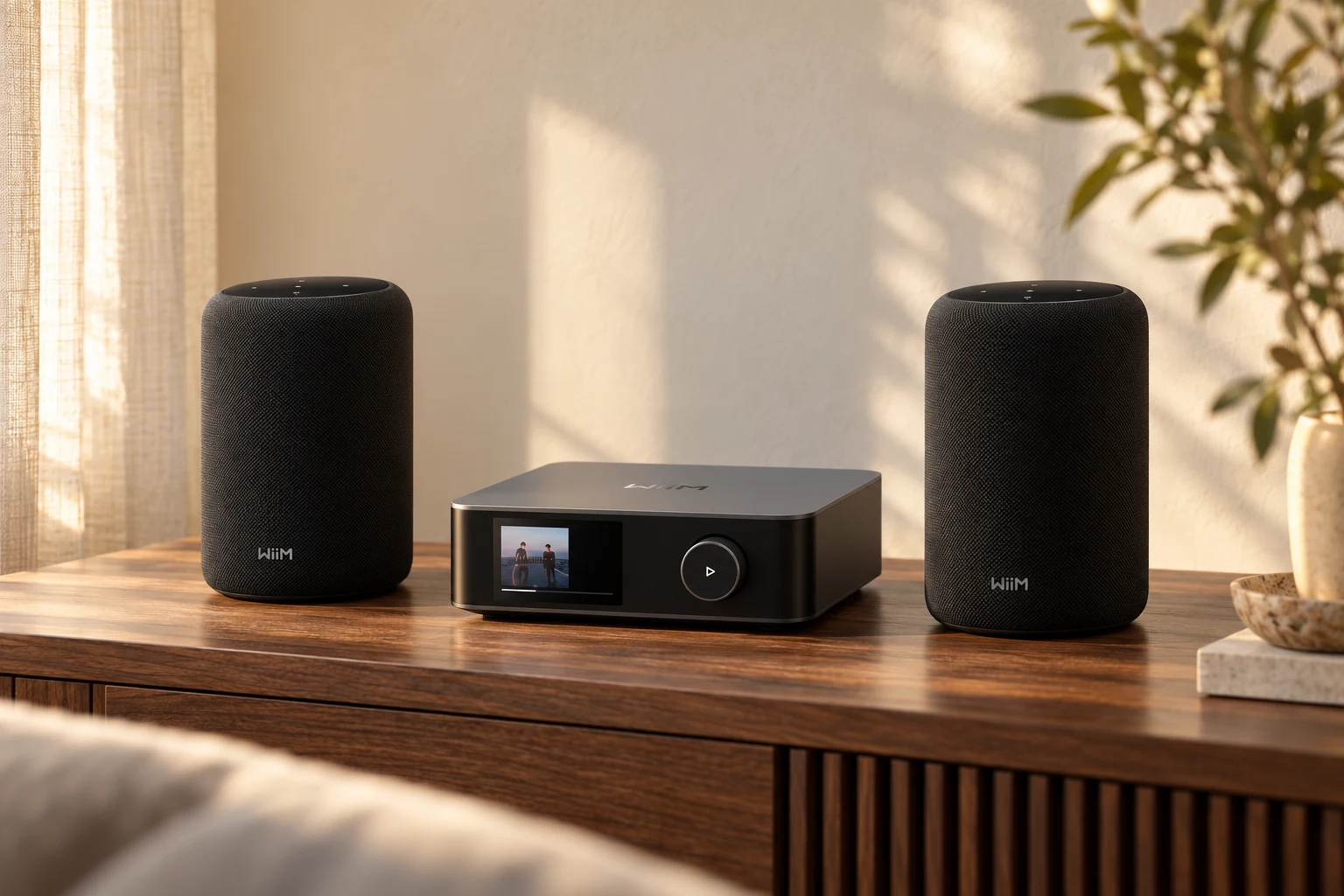
This is a specification- and documentation-based expansion guide. We have not tested sound quality, network reliability, room correction or TV lip-sync. Product cards use real retailer-feed images. The generated room scene is labeled illustrative; diagrams show signal roles, not an exact-scale installation. The suggested quantity is an editorial judgment, not a manufacturer bundle.
Sources and product links checked . Source names are listed for transparency; checked dates do not guarantee today’s price or future firmware behavior. This is an independent guide, not a WiiM-sponsored article.
View the research references and selected ASINs
- WiiM — Amp Ultra user manual v1.0.5: passive outputs, TV inputs and supported audio formats
- WiiM — Sound and Sound Lite product information: display and networked speaker roles
- WiiM — Sound Lite product information: screen-free design and home-theater support
- WiiM Help Center — Setting Up Sound (Lite) as Center and Surround Speakers, July 20, 2026
- WiiM Help Center — How to Add Surround Speakers, April 10, 2026
- WiiM Help Center — How to Add a Center Speaker, July 16, 2026
- WiiM Help Center — Stereo pairing combinations for Sound and Sound Lite
- WiiM Help Center — Multi-Room Music: grouping, volume and source considerations, July 23, 2026
Selected US listings: Sound Lite B0G2LQCNSF; Sound B0FPCQM66H; Amp Ultra B0F995W2NG. Product photos come from the corresponding retailer feed. The room diagram reuses those photos for identification and is not a measured placement plan.